Read Smarter.
Think Deeper.
A side-by-side PDF reader with AI built right in — no RAG setup, no pipelines, no complexity. Bring your own key or use a local model. Your documents never leave your device.
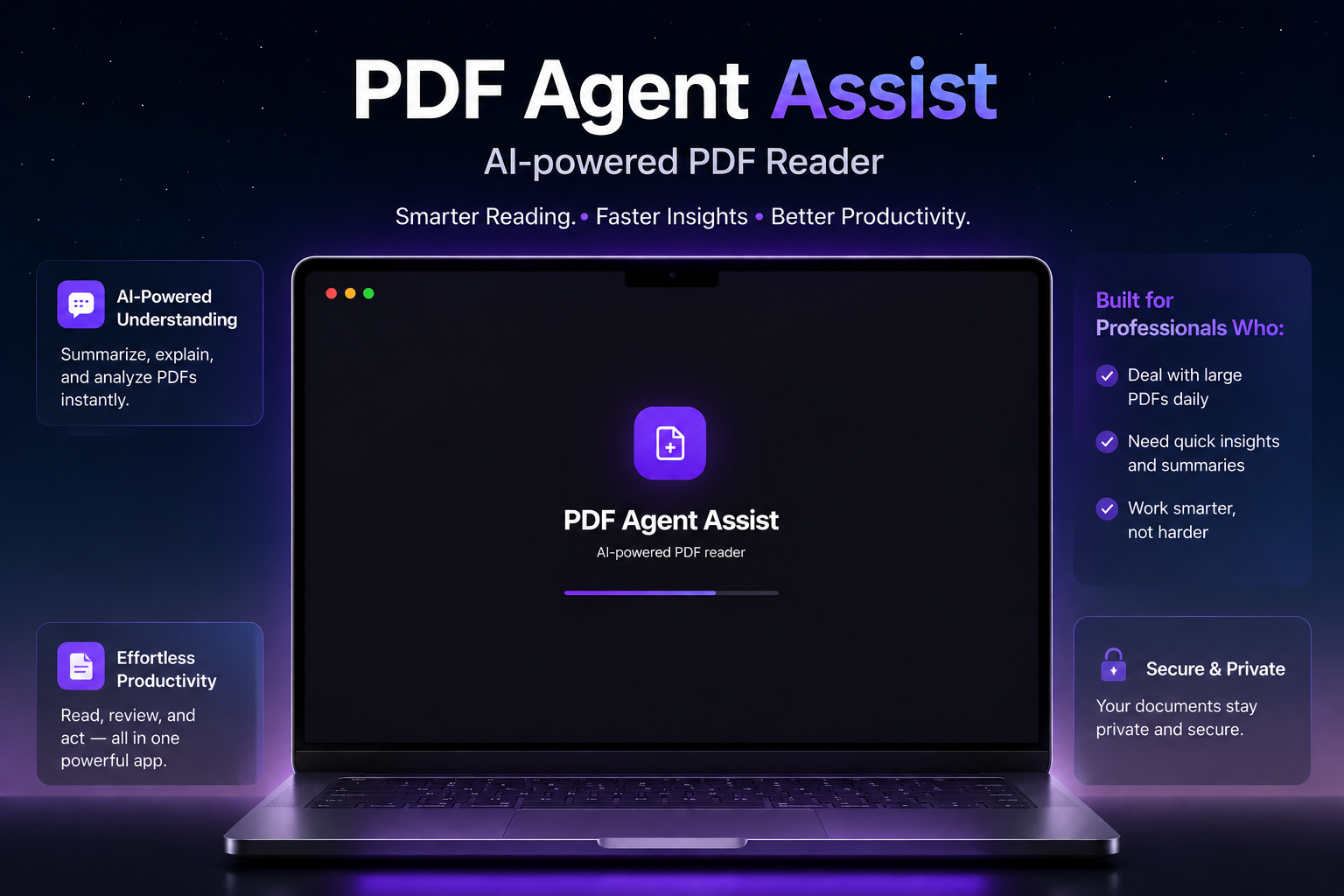
You Don't Need RAG
to Read Intelligently
Setting up RAG pipelines for every book or research paper is overkill for everyday reading. PDF Agent Assist gives you AI assistance right in the sidebar — no vector databases, no embedding pipelines, no DevOps. Just open a PDF and start reading smarter.
Everything You Need to
Read at Full Depth
AI-Powered Understanding
Ask questions, get summaries and explanations — all from the AI model of your choice. No tab-switching, no copy-pasting to ChatGPT.
Bring Your Own API Key
Add your Gemini API key from Google AI Studio. You own your data, you pay your own usage, no middlemen, no subscriptions.
Local LLM via LM Studio
Connect to LM Studio for 100% offline AI inference. Run any GGUF model on your machine — no internet required, total privacy.
Secure & Private by Design
Sessions stored in local SQLite — no cloud sync, no telemetry, no data ever leaves your Mac unless you explicitly call Gemini.
Up and Running in
3 Steps
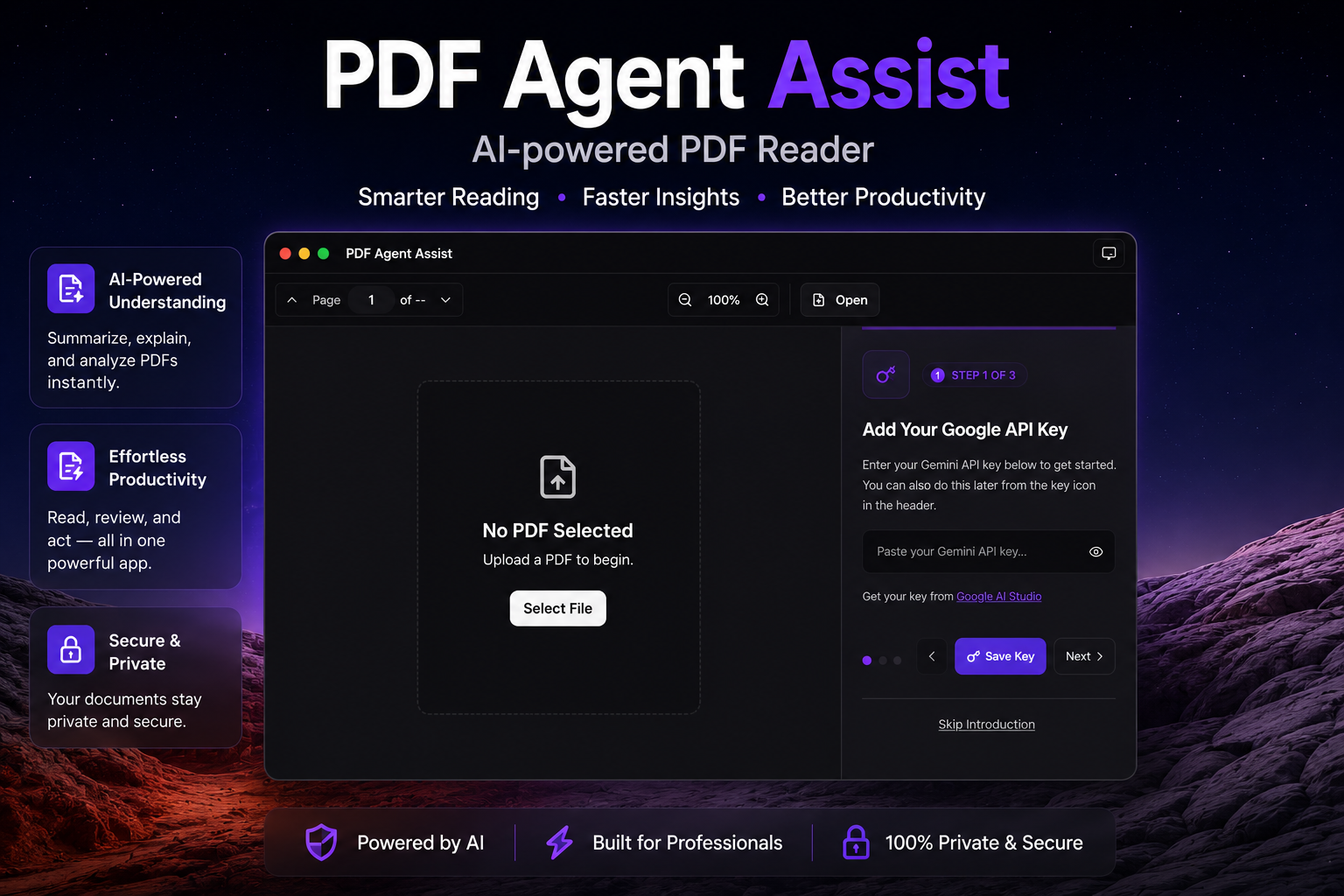
Add Your AI Model
Enter your Gemini API key from Google AI Studio — or connect to LM Studio for fully local inference. Your key is stored on-device and never shared.
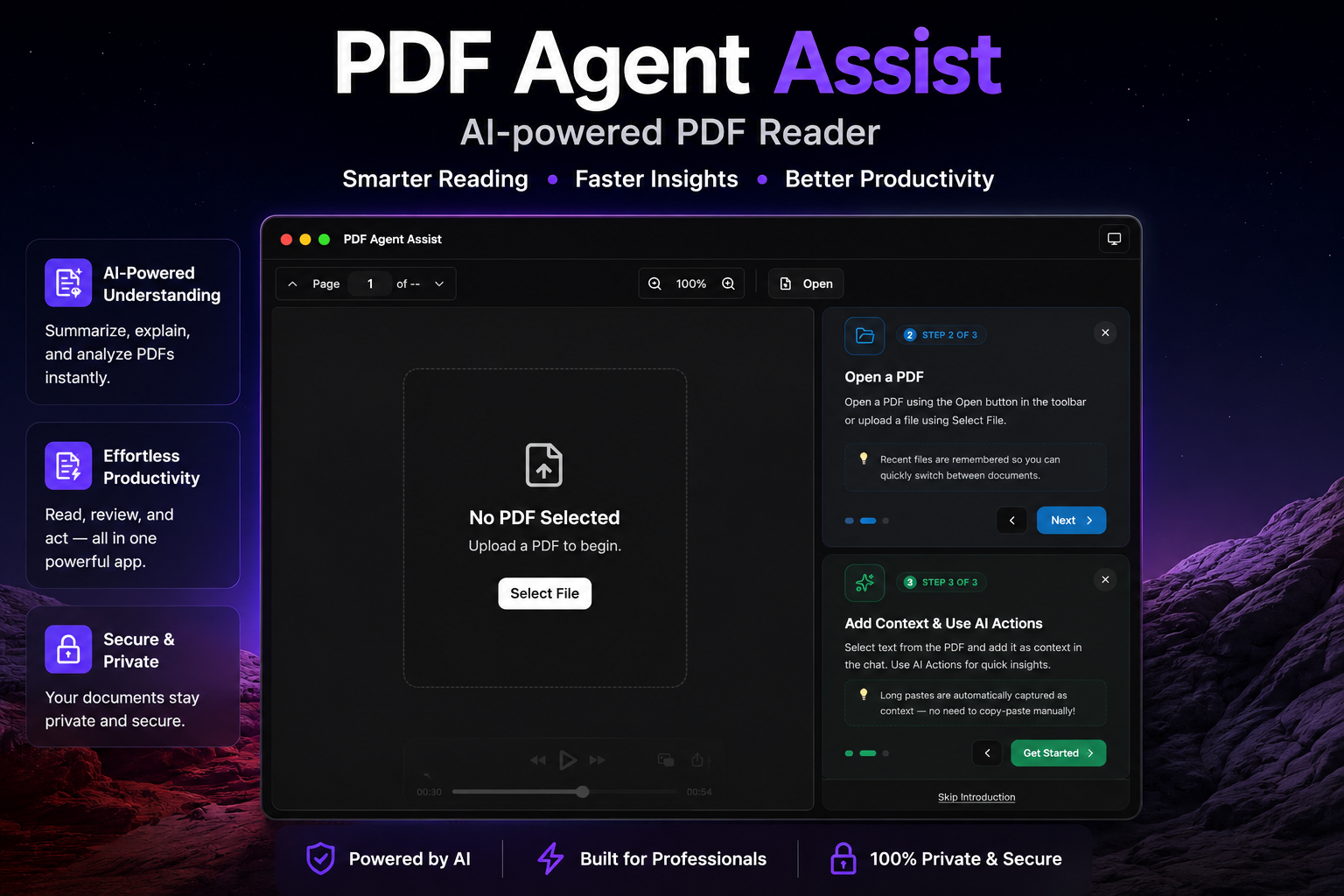
Open Any PDF
Drag-and-drop any PDF — research papers, textbooks, documentation, ebooks. Recent files are remembered so you can switch between documents instantly.
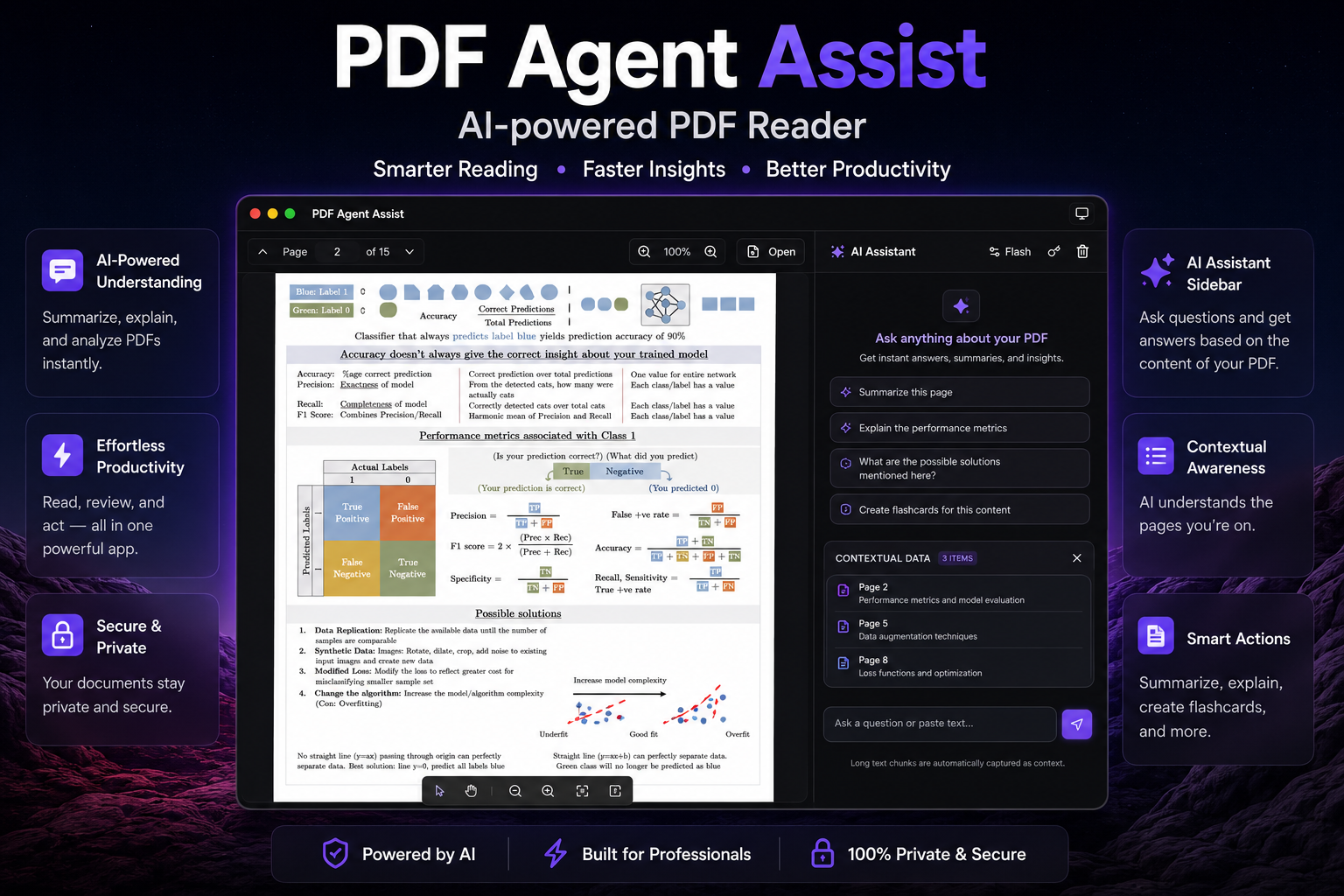
Chat While You Read
Select text to add as context. Use smart AI Actions for one-click summaries, explanations, or flashcards. Long pastes are auto-captured — no manual copy needed.
Your Documents Stay
On Your Device
Sessions stored in local SQLite — nothing uploaded to any server
Zero telemetry — your reading habits are completely your own
Gemini mode: only selected text is sent to Google API
LM Studio mode: 100% offline, zero outbound connections ever
Safe for sensitive documents — legal, medical, financial
Zero Data Leakage
PDF Agent Assist is architected from the ground up with privacy as a first principle — not a feature bolt-on.
✦ Connect LM Studio for air-gapped AI — perfect for confidential documents